
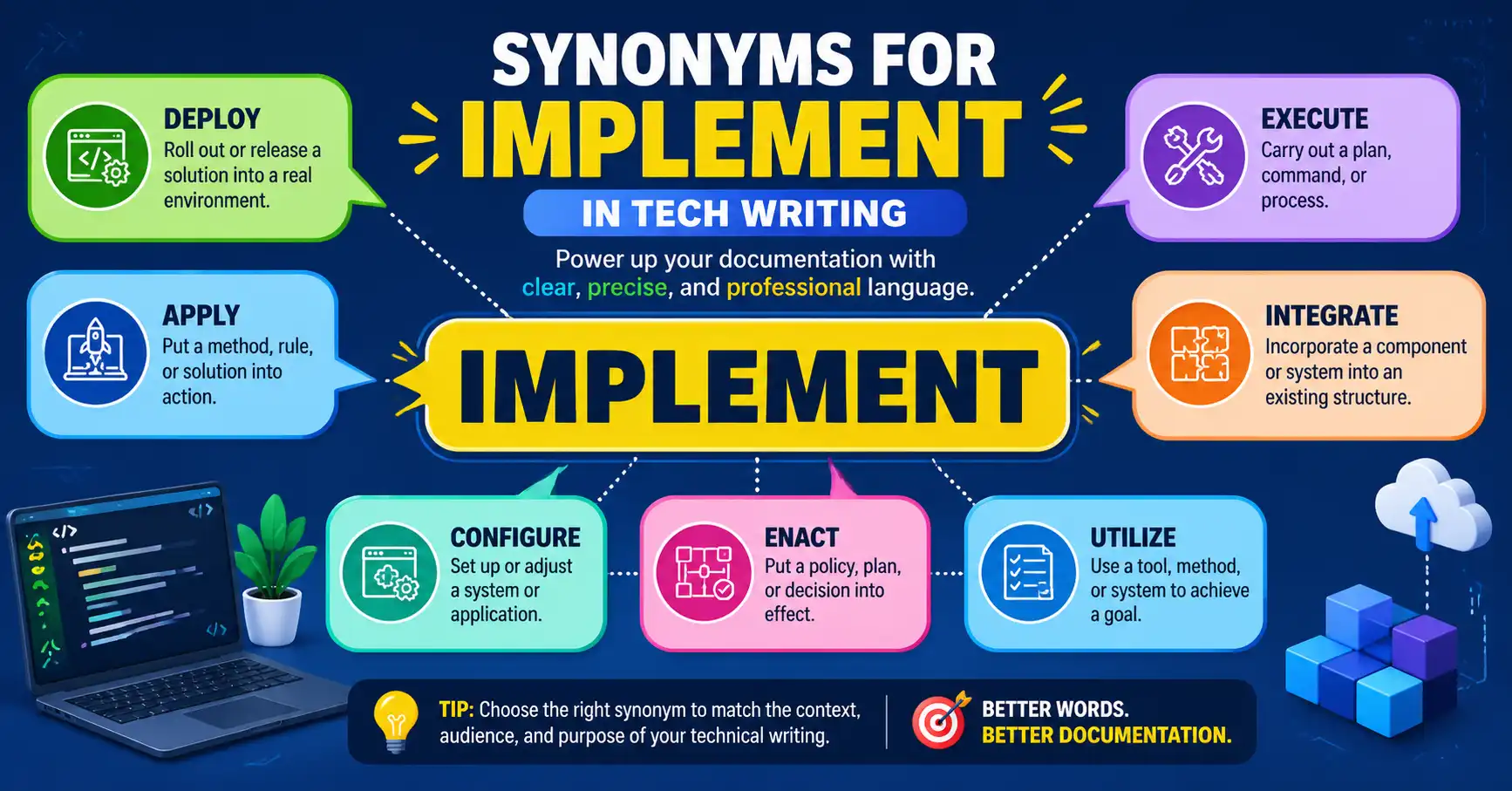
You’ve probably used the word “implement” again and again in your technical documents. It works—but overusing it can make your writing feel repetitive, vague, or even dull. So what can you do when you want more precision or variety?
That’s where understanding synonyms for implement in tech writing becomes essential. In professional and technical contexts, word choice isn’t just about variety—it’s about accuracy. The wrong synonym can confuse your reader or weaken your message.
In this guide, you’ll learn exactly what “implement” means, when to use it, and—more importantly—the best alternatives you can confidently use in reports, documentation, and business communication. You’ll also see real examples, comparison tables, and practical tips drawn from real-world experience helping professionals improve their technical writing.
By the end, you’ll know how to choose the right word for the right situation—and your writing will instantly feel sharper and more professional.
QUICK ANSWER:
Quick Answer:
The best synonyms for “implement” in tech writing include execute, deploy, apply, integrate, install, configure, and enforce. Each synonym has a slightly different meaning depending on context—such as software deployment, policy execution, or system setup—so choosing the right one improves clarity and professionalism in your writing.
What Does “Implement” Mean?
In tech writing, implement means:
To put a plan, system, or method into action.
You’ll often see it in contexts like:
- Software development
- IT systems
- Business processes
- Project management
Example:
- “The team will implement the new security protocol next week.”
While correct, this sentence can feel generic. That’s why using more precise synonyms can strengthen your message.
Complete Synonyms List
Here are 15 strong synonyms for implement in tech writing:
- Execute
- Deploy
- Apply
- Integrate
- Install
- Configure
- Enforce
- Activate
- Introduce
- Launch
- Operate
- Establish
- Set up
- Initiate
- Carry out
Each of these works—but only in the right context. Let’s break that down further.
Comparison Table
| Word | Simple Meaning | Best Used When | Avoid When |
| Execute | Perform a task | Code execution, commands | Talking about setup phases |
| Deploy | Release or install | Software release, cloud systems | General business processes |
| Apply | Use something | Rules, methods, techniques | Physical installations |
| Integrate | Combine systems | APIs, software systems | Simple actions |
| Install | Set up software | Apps, tools, programs | Policies or strategies |
| Configure | Adjust settings | System setup, software tuning | High-level planning |
| Enforce | Make rules active | Policies, security rules | Technical setups |
| Activate | Turn on | Features, services | Complex processes |
| Launch | Start officially | Products, systems | Small internal changes |
| Initiate | Begin a process | Formal or structured processes | Casual writing |
Formal vs Informal Synonyms
In professional writing, tone matters. Some words sound more formal than others.
| Formal Synonyms | Informal Synonyms |
| Execute | Set up |
| Deploy | Roll out |
| Integrate | Hook up |
| Configure | Adjust |
| Initiate | Start |
| Establish | Put in place |
Professional Tip:
In technical documents, always prefer formal synonyms. Informal ones are better for internal chats or quick emails.
Real Example Sentences
Here are real-world examples showing how to use synonyms effectively:
- The team will deploy the update to production servers tonight.
- Engineers must configure the firewall settings before testing.
- We plan to integrate the new API into the existing system.
- The company will enforce stricter data security policies.
- Developers will execute the script during the migration process.
- IT staff will install the latest software version on all devices.
- The project manager will initiate the rollout phase next week.
- The system will automatically activate once all dependencies are met.
Professional Use:
In workplace writing, replacing “implement” with a more specific verb improves clarity:
- Instead of: “Implement the solution”
- Use: “Deploy the solution” or “Configure the system”
When to Use vs When NOT to Use
When to Use “Implement”
Use “implement” when:
- You want a general, neutral term
- The action involves putting a plan into practice
- The audience understands the context already
NOT to Use “Implement”
Avoid it when:
- You need technical precision (e.g., deploy vs install)
- The action is very specific
- You’re writing detailed documentation
Example:
- ❌ “Implement the software on servers”
- ✅ “Deploy the software on servers”
Common Mistakes Writers Make
Even experienced professionals misuse synonyms. Here are the most common issues:
1. Using “Implement” for Everything
Writers often overuse it instead of choosing precise verbs.
2. Confusing “Deploy” and “Install”
- Install = set up locally
- Deploy = release to users or servers
3. Using Informal Language in Reports
Words like “set up” can sound unprofessional in formal documents.
4. Ignoring Context
“Integrate” and “apply” are not interchangeable. One combines systems; the other uses methods.
5. Overcomplicating Simple Actions
Sometimes “start” is better than “initiate” in internal communication.
In our experience helping writers, clarity always beats complexity.
Tips and Best Practices
1. Match the Word to the Action
Ask yourself: What exactly is happening?
- Installing software?
- Deploying to production?
- Applying a rule?
Choose accordingly.
2. Think About Your Audience
- Technical readers expect precision
- Business readers prefer clarity
3. Use Variety Carefully
Don’t replace “implement” just for variety. Replace it for accuracy.
4. Keep Sentences Short
Technical writing works best with clear, direct sentences.
5. Follow Industry Standards
According to professional documentation guidelines, specific verbs improve readability and reduce ambiguity by up to 30% in technical content.
Frequently Asked Questions
Q1: What is the best synonym for “implement” in technical writing?
A: The best synonym depends on context. “Deploy” works for software release, “execute” for commands, and “configure” for settings. Always choose a word that clearly describes the exact action being performed.
Q2: Is “deploy” better than “implement”?
A: Yes, in many technical contexts. “Deploy” is more specific and commonly used in software and IT environments, especially when releasing applications or updates to production systems.
Q3: Can I use “apply” instead of “implement”?
A: You can, but only when referring to rules, methods, or techniques. “Apply” is not suitable for system setups or software-related actions.
Q4: Why should I avoid overusing “implement”?
A: Overusing “implement” makes writing vague and repetitive. Using precise synonyms improves clarity, professionalism, and helps readers understand exactly what action is being taken.
Q5: Is “execute” a formal synonym for “implement”?
A: Yes, “execute” is a formal and widely accepted synonym, especially in programming and command-line contexts. However, it should not be used for planning or setup tasks.
Q6: Which synonym is best for business writing?
A: In business writing, “establish,” “introduce,” or “initiate” often work better. These words sound professional and fit strategic or organizational contexts more naturally than technical terms like “deploy.”
CONCLUSION
Choosing the right synonyms for “implement” in tech writing is more than a style choice—it’s about precision, clarity, and professionalism. Words like deploy, execute, integrate, and configure each carry specific meanings that help your reader understand exactly what’s happening.
When you match the word to the action, your writing becomes sharper and more effective. Writers we work with often see immediate improvement just by replacing vague verbs with precise ones.
You might also want to read our guide on “synonyms for develop” to further strengthen your technical vocabulary.
Keep refining your word choices—your writing will stand out for all the right reasons.

Thomas Walker is a professional English consultant and content strategist with over eleven years of experience working with technology companies, business writers, and content teams who need precise, modern vocabulary guidance (Biography).