
You’re writing a technical report, product update, or email—and suddenly “improve” feels too basic. Sound familiar? In the tech world, word choice matters. Using the right vocabulary can make your ideas clearer, more professional, and more persuasive.
If you’ve been searching for synonyms for improve in tech context, you’re in the right place. This guide will help you move beyond generic wording and choose terms that match software development, business communication, and IT documentation.
As a professional consultant with over a decade of experience, I’ve seen how precise language can elevate technical writing. In this article, you’ll learn not just alternatives—but when and why to use each one. By the end, you’ll confidently replace “improve” with stronger, context-specific verbs that align with industry standards.
Quick Answer:
The best synonyms for “improve” in a tech context include enhance, optimize, upgrade, refine, streamline, boost, augment, and modernize. These words are more precise and reflect specific actions like performance tuning, system upgrades, or process efficiency—making your technical communication clearer and more professional.
What Does “Improve” Mean in Tech Context?
In general English, “improve” means to make something better. But in tech, the meaning becomes more specific.
In professional and technical writing, “improve” often refers to:
- Increasing performance (speed, efficiency)
- Fixing issues or bugs
- Enhancing user experience (UX)
- Upgrading systems or software
- Refining processes or workflows
According to industry documentation standards, vague verbs like “improve” should be replaced with precise action verbs. This helps teams understand exactly what changed.
Complete Synonyms List
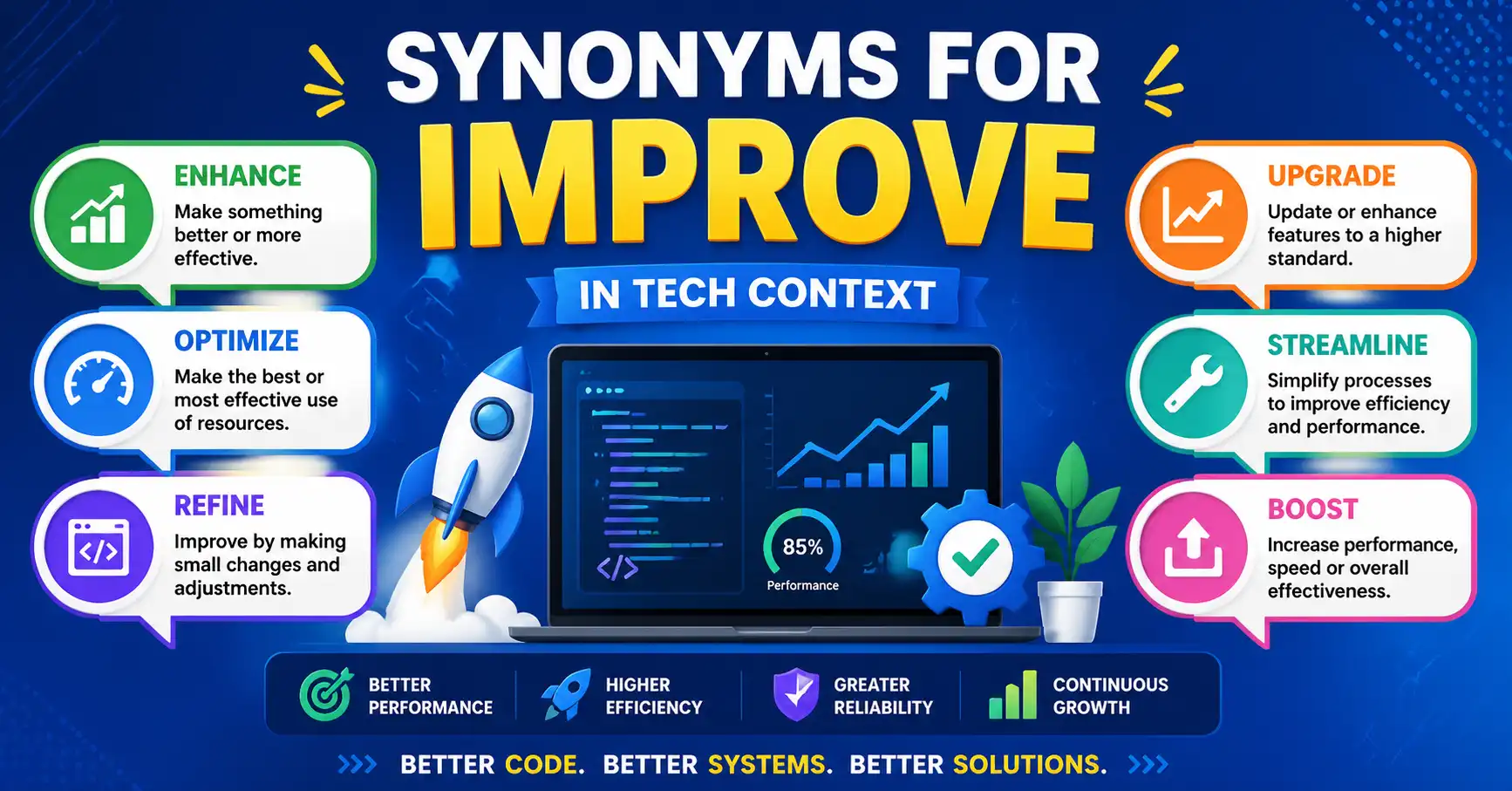
Here are powerful synonyms for improve in tech context that you can use in professional writing:
- Enhance
- Optimize
- Upgrade
- Refine
- Streamline
- Boost
- Augment
- Modernize
- Revamp
- Strengthen
- Elevate
- Fine-tune
Professional Use:
In workplace writing, you might say:
- “We optimized the database queries” instead of “We improved the database.”
Comparison Table
| Word | Simple Meaning | Best Used When | Avoid When |
| Enhance | Make better in quality | UX, features, design | Talking about major system changes |
| Optimize | Make most efficient | Performance, speed, code | General improvements |
| Upgrade | Move to a better version | Software, hardware | Minor tweaks |
| Refine | Improve details | UI, processes | Large-scale changes |
| Streamline | Simplify processes | Workflows, operations | Feature additions |
| Boost | Increase performance | Speed, metrics | Formal documentation |
| Augment | Add extra capability | AI, data systems | Everyday communication |
| Modernize | Update to current standards | Legacy systems | Minor updates |
| Revamp | Completely redesign | Products, UI | Small improvements |
| Fine-tune | Adjust precisely | Performance tweaks | Major upgrades |
Formal vs Informal Synonyms
| Formal Synonyms | Informal Synonyms |
| Optimize | Boost |
| Enhance | Improve |
| Augment | Add to |
| Modernize | Update |
| Refine | Fix up |
| Streamline | Simplify |
Professional Insight:
According to academic and business writing conventions, formal synonyms like “optimize” and “enhance” are preferred in reports and documentation, while informal ones fit internal chats or quick updates.
Real Example Sentences
Here are practical examples using synonyms for improve in tech context:
- We optimized the application to reduce load time by 40%.
- The team enhanced the user interface for better accessibility.
- We upgraded the system to the latest cloud infrastructure.
- Developers refined the algorithm for greater accuracy.
- The new workflow streamlines project management tasks.
- We boosted server performance during peak traffic.
- The AI model was augmented with additional training data.
- The company plans to modernize its legacy systems this year.
Professional Use:
Instead of writing:
- “We improved the system”
Write: - “We optimized system performance and streamlined workflows”
When to Use vs When NOT to Use
When to Use These Synonyms
Use specific synonyms when you want to:
- Show technical precision
- Describe clear outcomes
- Align with professional standards
- Improve clarity in reports or documentation
NOT to Use Them
Avoid these synonyms when:
- You are writing for non-technical audiences
- Simplicity is more important than precision
- The improvement is unclear or general
Example:
- Wrong: “We optimized everything” (too vague)
- Better: “We optimized database queries”
Common Mistakes Writers Make
In our experience helping writers, these errors appear frequently:
1. Using Fancy Words Without Understanding
Writers often use “optimize” when they simply mean “fix.”
2. Overusing One Word
Repeating “enhance” in every sentence reduces impact.
3. Ignoring Context
“Upgrade” is wrong if no version change is involved.
4. Mixing Formal and Informal Tone
Switching between “boost” and “augment” in one document creates inconsistency.
5. Being Too Vague
Even with synonyms, lack of detail weakens writing.
Tips and Best Practices
Here’s how you can master synonyms for improve in tech context:
1. Match the Word to the Action
- Use optimize for performance
- Use enhance for quality
2. Think About Your Audience
- Technical audience → precise terms
- General audience → simpler words
3. Be Specific
Instead of:
- “We enhanced the system”
Write: - “We enhanced system security by implementing encryption”
4. Keep Consistency
Stick to a tone—formal or semi-formal—throughout your document.
5. Learn from Real Tech Writing
Writers we work with often improve faster by reading documentation from companies like Microsoft or Google.
Frequently Asked Questions
Q: What is the best synonym for “improve” in software development?
A: The best synonym depends on context. “Optimize” is ideal for performance, while “enhance” works for features. “Refine” suits minor adjustments. Choose a word that clearly describes the specific technical action you performed.
Q: Is “optimize” better than “improve” in technical writing?
A: Yes, “optimize” is more precise. It shows that you are increasing efficiency or performance. In professional writing, specificity is preferred, making “optimize” stronger than the general term “improve.”
Q: Can I use “boost” in professional tech documents?
A: “Boost” is acceptable in semi-formal writing, such as presentations or internal updates. However, in formal reports, words like “enhance” or “optimize” are more appropriate and aligned with professional standards.
Q: What’s the difference between “enhance” and “upgrade”?
A: “Enhance” means improving quality or features without major changes. “Upgrade” refers to moving to a higher version or system level. Use “upgrade” for software versions and “enhance” for feature improvements.
Q: Are these synonyms suitable for business communication?
A: Yes, many of them are widely used in business and tech writing. Words like “streamline,” “optimize,” and “modernize” are common in reports, proposals, and emails within professional environments.
Q: How do I avoid repeating “improve” in writing?
A: Build a vocabulary list and match words to context. Rotate between synonyms like “refine,” “enhance,” and “optimize.” Also, rewrite sentences to be more specific instead of relying on a single verb repeatedly.
Conclusion
Using the right synonyms for improve in tech context can transform your writing from basic to professional. Words like optimize, enhance, and streamline help you communicate clearly and accurately—something every tech writer needs.
Remember, the goal isn’t just variety. It’s precision. Choose words based on the exact action you’re describing. That’s what sets strong technical writing apart.
You might also want to read our guide on “synonyms for increase in business writing.”
Keep practicing, stay consistent, and your vocabulary will naturally level up.

Thomas Walker is a professional English consultant and content strategist with over eleven years of experience working with technology companies, business writers, and content teams who need precise, modern vocabulary guidance (Biography).